Curious beginner
You want to turn a visual idea into a rough 3D object without learning a full modeling package first.
Use hitem3d for exploration, then inspect the mesh and remove anything you would not want to share or print.
hitem3d reviewTrust guide
If you are asking is hitem3d safe, the useful answer is not a blanket yes or no. hitem3d is an AI 3D-generation route that deserves ordinary checks around privacy, licensing, output quality, and where you use the result.

Start here
Safety questions become easier to judge when marketing assumptions are separated from observable workflow facts.
Reality check
hitem3d is best understood as an assisted creation service, not a private vault, professional model audit, or substitute for reviewing every downloaded asset.
You want to turn a visual idea into a rough 3D object without learning a full modeling package first.
Use hitem3d for exploration, then inspect the mesh and remove anything you would not want to share or print.
hitem3d reviewYou need several early shapes to compare before investing time in a polished production model.
hitem3d can shorten ideation, while the final design still needs human judgment, cleanup, and rights checks.
hitem3d reviewYou are preparing a decorative object or figurine and want a starting point for a print-oriented workflow.
Treat the generated file as a draft: check manifold geometry, wall thickness, scale, and supports before printing.
hitem3d reviewYou are testing AI-generated assets inside a prototype or internal visualization.
Keep sensitive source material out of the workflow and confirm the asset’s terms before shipping it in a product.
hitem3d reviewSafer workflow
The safest hitem3d workflow is deliberate: share only what is needed, inspect what comes back, and decide where the output is allowed to go.
Use a non-sensitive reference or a redacted prompt. Do not upload confidential designs, personal documents, private faces, or customer information unless you have permission and understand the service terms.
Open the generated model in a trusted viewer and check geometry, textures, scale, hidden artifacts, and file contents. AI output is a draft, not proof that a model is technically correct or original.
Before publishing, selling, printing, or embedding the asset in software, review applicable rights, attribution requirements, and internal approval rules. Keep a record of the source and your edits.
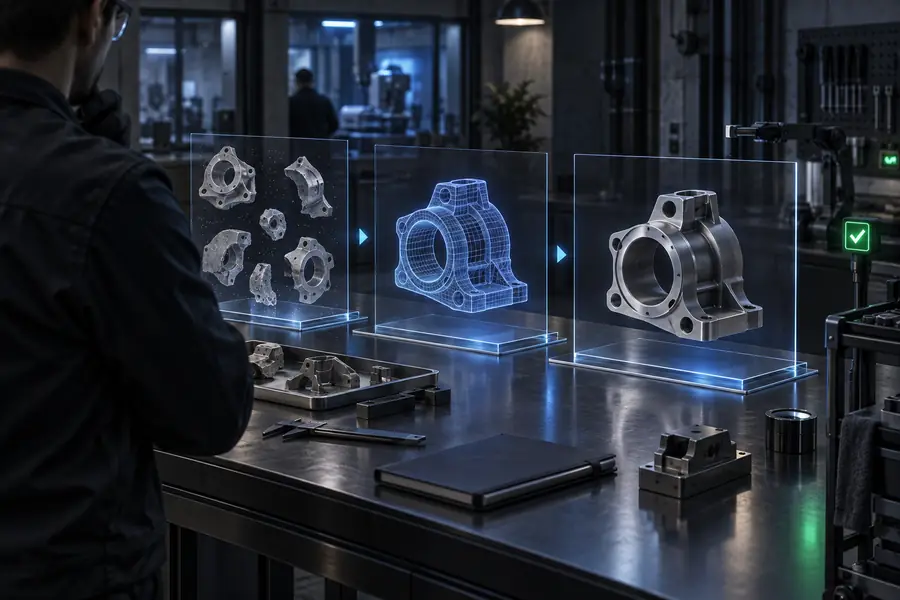
Input to output
A polished preview can look convincing while still hiding risks. Compare the tempting shortcut with the review step that a responsible workflow requires.
 Assume
 Verify
Decision table
This is a practical boundary check, not a claim that one route is universally safe. The right choice depends on the sensitivity of your material and the consequence of a mistake.
Reference material
Suitable hitem3d use
Public, disposable, or fully cleared images and prompts
Use another route or add review
Confidential, unreleased, personal, or restricted material
Purpose
Suitable hitem3d use
Ideation, learning, mockups, and low-risk prototypes
Use another route or add review
Safety-critical, regulated, or contractual production work
Model quality
Suitable hitem3d use
A starting mesh that you will inspect and edit
Use another route or add review
A final asset that must be correct without human review
Rights
Suitable hitem3d use
You can document the source and intended use
Use another route or add review
Ownership, consent, or commercial permissions are unclear
File handling
Suitable hitem3d use
You can open and scan the downloaded output safely
Use another route or add review
The file comes from an unknown source or behaves unexpectedly
Privacy decision
Suitable hitem3d use
The benefit justifies sharing limited, non-sensitive input
Use another route or add review
The downside of disclosure would be difficult to undo
Know the limits
No tool label can remove the need for judgment. These are the situations where hitem3d should not be treated as the final authority.
A browser-based AI workflow may involve data handling that you cannot infer from the visual interface alone.
Workaround
Read the current privacy and retention terms, and keep sensitive source material out of the workflow.
A generated model may resemble existing designs or reflect patterns found in training data; a preview is not a clearance search.
Workaround
Run your own similarity and rights review before public or commercial use.
Surfaces may be thin, disconnected, inverted, unevenly scaled, or unsuitable for the chosen printer and material.
Workaround
Repair and validate the mesh in a trusted 3D application before fabrication.
A model for a regulated, safety-critical, medical, or contractual purpose needs domain-specific validation.
Workaround
Use an appropriate professional workflow and keep AI output limited to an approved supporting role.
Use judgment
If your question is is hitem3d safe, begin with a public reference or a simple original prompt. Review the terms, inspect the returned file, and decide whether the result meets your privacy, quality, and usage requirements before moving to important work.
Start a low-risk testCommon questions
These answers focus on legitimacy and practical safety rather than promising more than the available evidence supports.
hitem3d can be reasonable for low-risk experimentation when you avoid sensitive inputs and review the output yourself. Safety depends on the information you share, the current service terms, the file you download, and how you use the result.
A legitimate-looking interface or generated preview is not enough to establish every privacy, licensing, or quality claim. Treat hitem3d as a useful AI-assisted workflow, verify its current terms, and keep human review in the loop.
Avoid uploading confidential, unreleased, personal, or contract-restricted material unless you have confirmed that the service handling and permissions meet your requirements. A safer test uses a public reference or a simplified prompt with no identifying details.
Use the output as a starting asset rather than an automatically approved final file. Check topology, dimensions, textures, licensing, and compatibility, then validate it in the toolchain where it will be printed or deployed.