Curious first-time maker
You have a rough object idea but do not yet know whether a 3D generator will be useful.
You can test one focused concept before committing time to a full modeling process.
hitem3d online freeAccess guide
Is hitem3d free? The practical answer depends on what you want to do. This guide separates the no-cost entry point from the broader Hitem3D experience so you can start with clear expectations.
Choose the route that matches your next question, whether you want a browser-based starting point, a mobile explanation, or a quick overview of the tool.
The free entry point is useful because it reduces the first decision to a few concrete actions. It is not meant to replace every modeling workflow.
You have a rough object idea but do not yet know whether a 3D generator will be useful.
You can test one focused concept before committing time to a full modeling process.
hitem3d online freeYou want to see how a visual reference can become a rough 3D starting point.
You get a fast way to judge shape, silhouette, and overall direction before refining details.
image to 3d modelYou are exploring a simple figurine or object and need to understand the first steps without specialist software.
You can move from an idea to a model candidate, then decide whether cleanup or preparation is needed.
split for 3d printingYou need a rough prop concept for a game, animation, or visual pitch.
You can validate the concept quickly and use the result as a reference for later production work.
hitem3d for softwareTreat the free route as a short evaluation loop: describe a specific object, inspect the result, and decide what kind of refinement it needs.
Start with a single subject and useful constraints such as shape, material, pose, style, or intended use. A focused request is easier to judge than a list of unrelated objects.
Look at the silhouette, proportions, visible surfaces, and obvious gaps. The first output is a starting point for evaluation, not automatically a finished production asset.
Keep the concept if it works, revise the request if the direction is close, or move to a dedicated modeling and preparation process when the project demands more control.
A free starting path can remove friction, but it does not remove the technical decisions involved in making a dependable final asset.
A generated result may need checks for thin areas, hidden surfaces, intersections, topology, and scale before it is used in a serious project.
Workaround
Open the model in a suitable 3D editor and inspect or repair the mesh before delivery.
One short request may establish a useful direction, but exact branding, complex anatomy, intricate parts, and repeatable style usually require more iteration.
Workaround
Supply clearer references, break the subject into decisions, and reserve manual work for the details that matter most.
A model that looks good in a preview may still need conversion, material cleanup, retopology, rigging, or print preparation for a particular destination.
Workaround
Confirm the required format and pipeline before treating the output as final.
Availability, handoff behavior, and feature scope can change, so a free route should be checked at the moment you use it rather than assumed from an old description.
Workaround
Use the current entry point, read its visible instructions, and test a small project first.
The comparison is about purpose, not a promise that one route is universally better. Use the free path to reduce risk, then move outward when your project needs more control.
Primary job
Free entry point
Try a focused model idea with minimal friction
General Hitem3D route
Support a broader set of modeling goals
Best for
Free entry point
First tests, simple concepts, and early decisions
General Hitem3D route
Ongoing projects with more demanding requirements
Starting input
Free entry point
One concise prompt or reference-led request
General Hitem3D route
A wider mix of prompts, references, and project needs
Evaluation style
Free entry point
Check whether the direction is useful
General Hitem3D route
Develop the result toward a more complete workflow
Expected refinement
Free entry point
Some cleanup and iteration should be expected
General Hitem3D route
The workflow may accommodate deeper refinement
Risk of wasted effort
Free entry point
Lower for a quick trial because the commitment is small
General Hitem3D route
Higher if you begin with a complex project before testing fit
Best next decision
Free entry point
Keep, revise, or move to another tool
General Hitem3D route
Continue building within a broader process
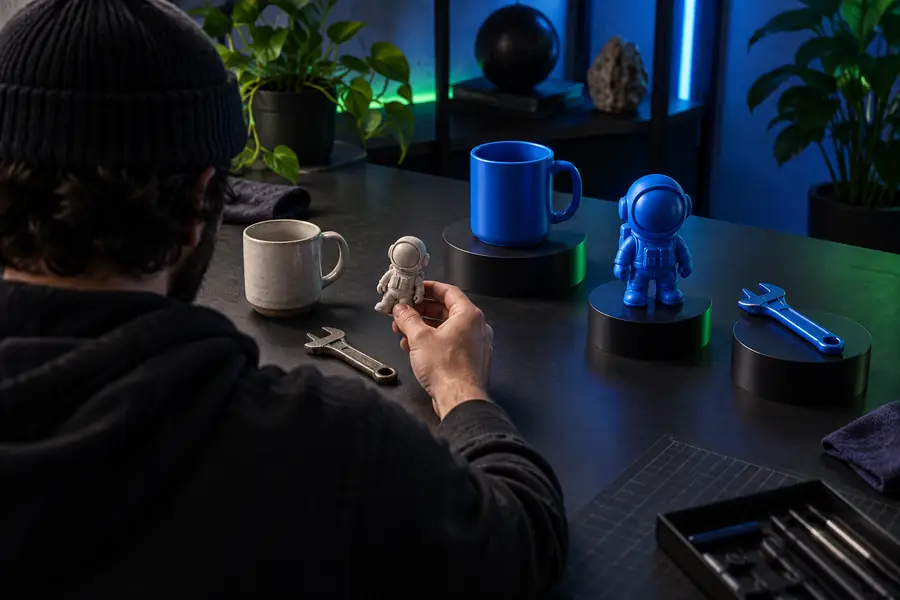
The visual difference to look for is not perfection. It is whether the first pass gives you enough shape and information to make a confident next decision.
 Initial test
 Next-step direction
Start with one concrete model idea instead of planning an entire project. A small test shows whether the output, workflow, and level of control match what you need before you spend more time refining the asset.
Try Hitem3D freeHitem3D has a free entry path for trying a focused model idea, but free access should be understood as a starting point rather than a guarantee that every feature or downstream workflow is included. Check the current handoff and visible access terms when you begin.
You can use it to test a concise concept, review an initial 3D direction, and decide whether the result is worth refining. It is most useful for exploration, simple concepts, and early project decisions.
Not necessarily. A first result may still need mesh inspection, cleanup, format conversion, material work, rigging, or print preparation before it is suitable for a specific production pipeline.
It can be enough to begin learning the basic idea-to-model loop because the first commitment is small. Beginners should still expect to review the output and learn the downstream steps required for their chosen use.